

Knowing which PHP version your website is currently using is more important than it might seem. It helps when installing or updating a CMS like WordPress, troubleshooting compatibility issues, and making sure your site can support newer features safely. In Plesk, checking the PHP version is straightforward, and you can do it in just a few clicks.
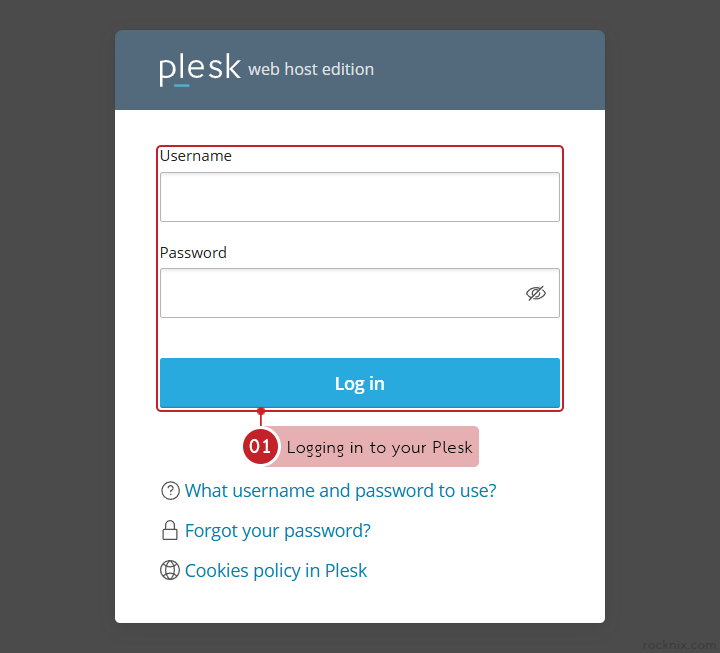
Start by logging in to your Plesk control panel.
Quick Check: See the Current PHP Version Only
If you only want to know which PHP version a domain is using, look for the PHP menu under the Dev Tools section of that domain in Plesk. The version currently assigned to the website is shown there directly, so you can verify it without going through additional settings pages.
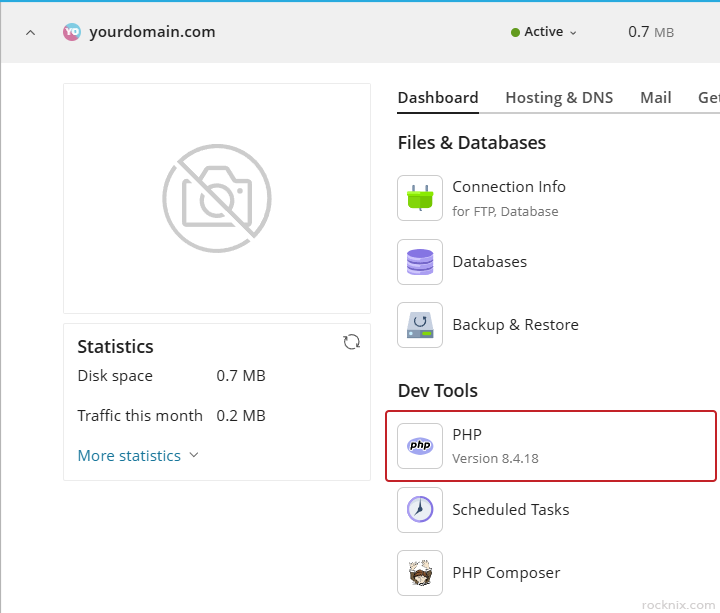
This method is useful when you simply need to confirm whether your site is running the expected PHP version before installing a plugin, updating a theme, or checking application requirements.
Detailed Check: View Full PHP Information
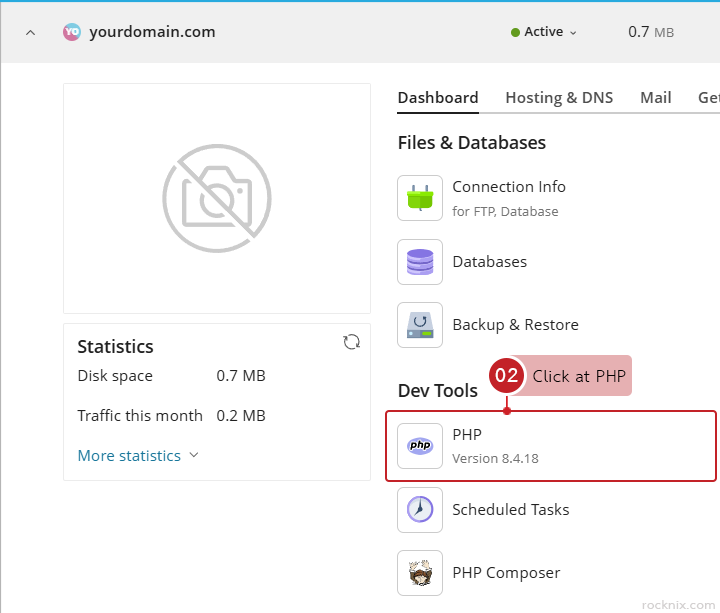
If you need more than just the version number, click at PHP section under Dev Tools for the domain you want to inspect.
Click at View the phpinfo() page.
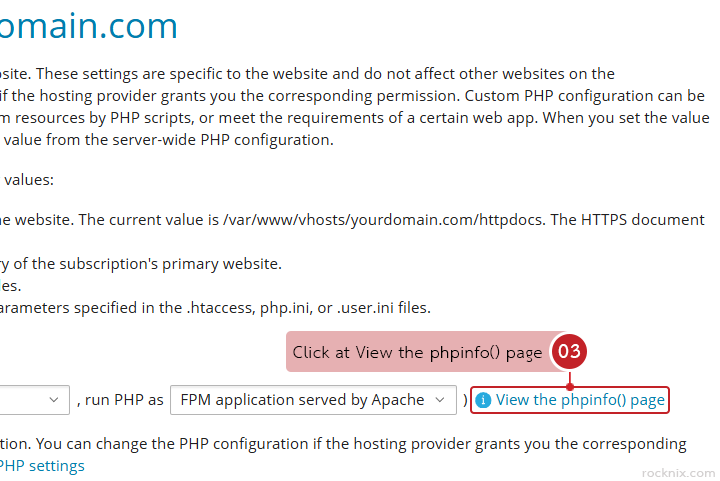
Plesk will display a full PHP information page, where the PHP version is clearly shown at the top.
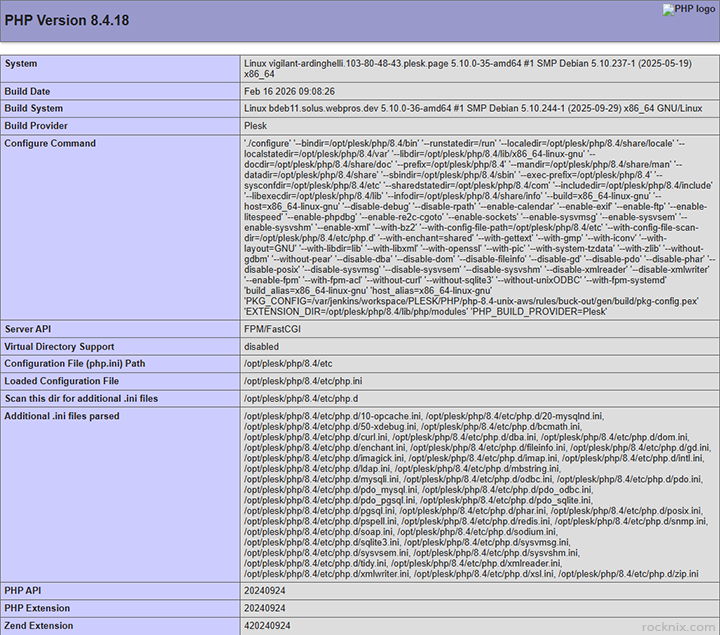
This page is especially useful when you need to review additional PHP settings, such as:
- memory_limit
- max_execution_time
- loaded extensions
These details can help when diagnosing website errors, checking whether required PHP extensions are enabled, or confirming that your hosting environment matches the software requirements of your application.
Checking the PHP version is a good habit in several common situations:
- before installing WordPress, Joomla, or other CMS platforms
- when a plugin, theme, or script requires a specific PHP release
- after migrating a website to a new hosting environment
- when troubleshooting warnings, fatal errors, or compatibility issues
Even if your website is working normally, confirming the PHP version can help prevent future issues and make updates more predictable.
If you’re looking for secure and easy-to-manage hosting, you can explore available plans to find one that fits your website.