How to Limit Outgoing Emails per Email Account in Plesk?
Controlling the number of outgoing emails from your hosting account is an important step in maintaining server performance and preventing spam-related issues. If your website or email account sends too many emails in a short time, it may trigger security restrictions or even get flagged as spam.
In Plesk, you can easily set a limit on how many emails each mailbox is allowed to send per hour. This guide walks you through the process step by step.
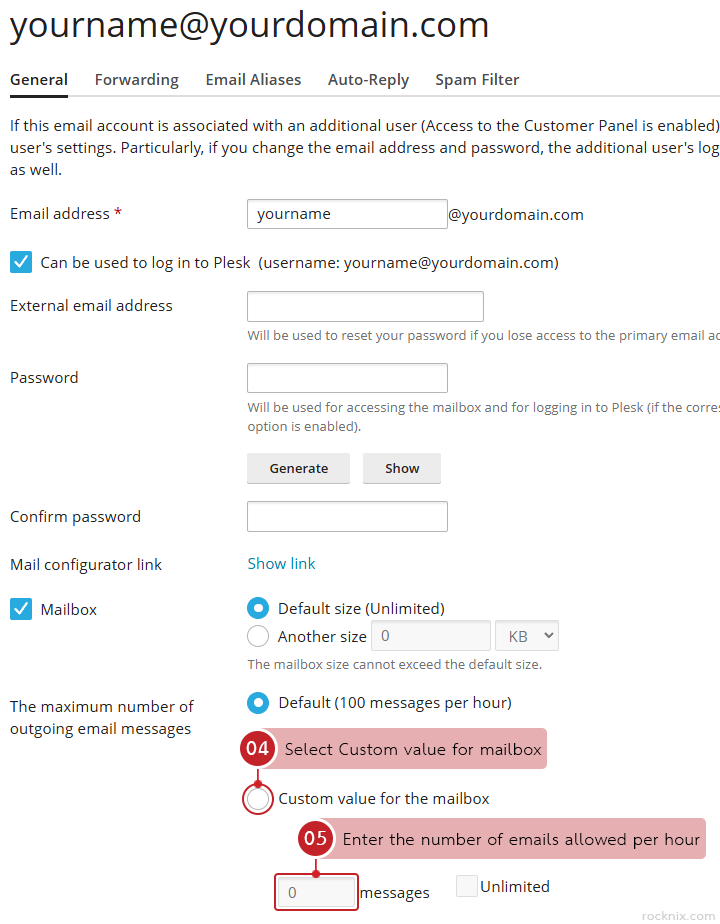
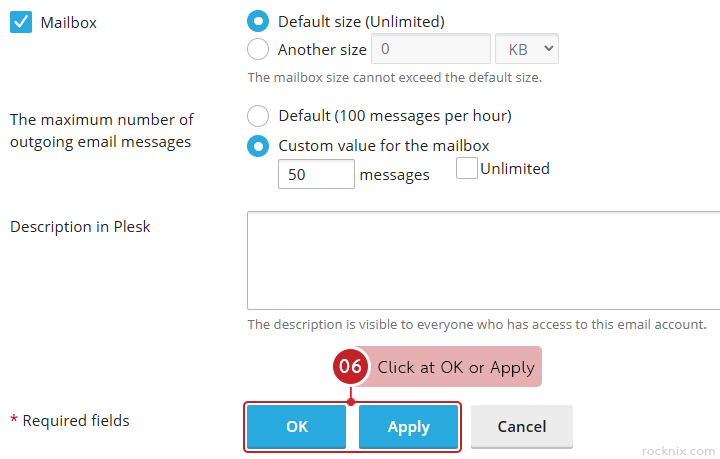
Select Custom value for mailbox from The maximum number of outgoing email messages section, then enter the number of emails allowed per hour.
Click at OK or Apply to save the changes.
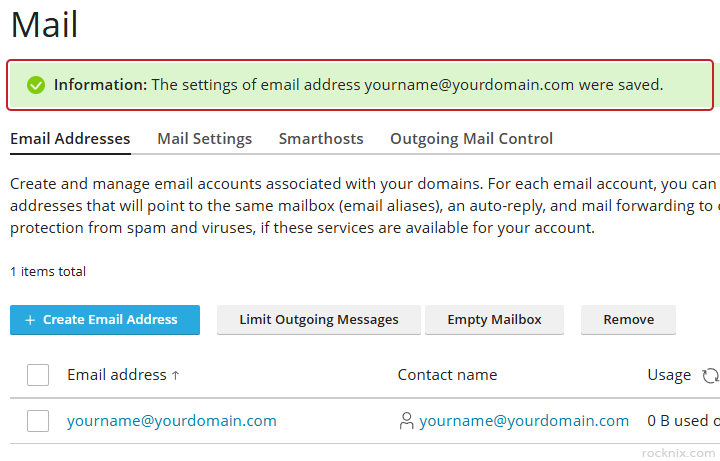
Plesk will confirm that the email account’s outgoing email limit has been updated successfully.
This setting must not exceed the default size defined by the system for that domain. For example, if the default is set to 100 copies per hour, it means that the set value must be lower than or equal to the maximum limit allowed by the system, and cannot be set to Unlimited in this case.
Best Practices
To get the most out of this feature, consider:
Setting lower limits for general users.
Using higher limits only for trusted system emails. (e.g., contact forms, notifications)
Monitoring email usage regularly.
Combining this with strong passwords and security practices.
If you’re looking for secure and easy-to-manage hosting, you can explore available plans to find one that fits your website.