

Running the right PHP version is important for both compatibility and performance. Some websites, CMS platforms, themes, or plugins require a specific PHP release to work properly. In Plesk, you can change the PHP version for your website in just a few clicks, which helps keep your site stable, secure, and compatible with newer technologies.
Before updating your PHP version, it is a good idea to check a few things first:
- Make sure your website, such as WordPress, Joomla, or any other CMS, supports the PHP version you want to use.
- Check whether your active theme, plugins, or extensions are compatible with that version.
- Always back up your website before making changes, so you can restore it if anything does not work as expected.
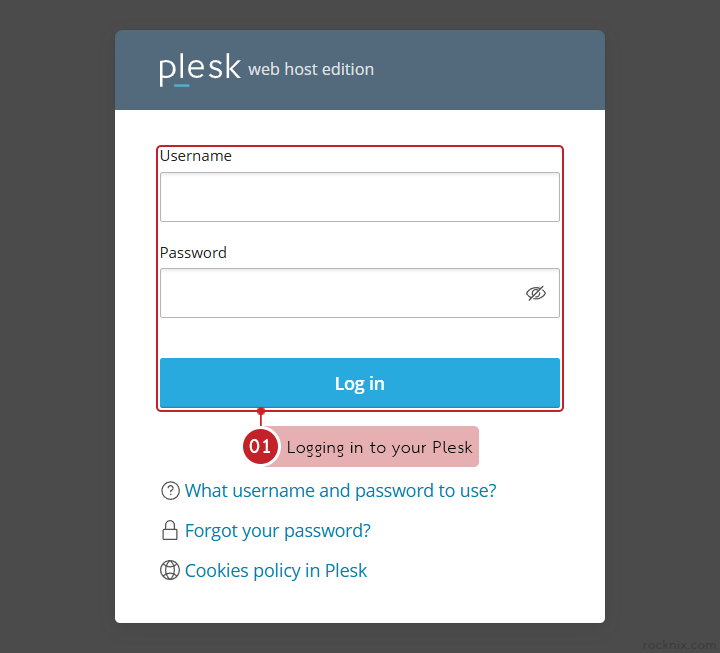
Start by logging in to your Plesk control panel.
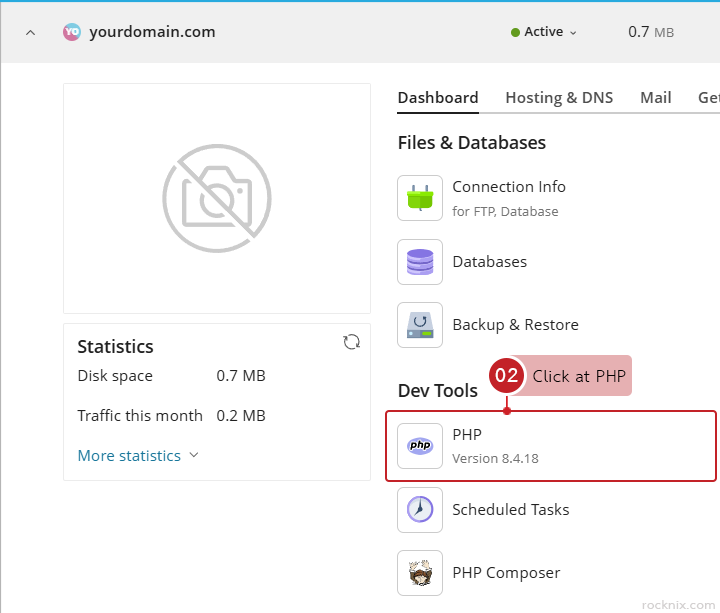
Click at PHP in the Dev Tools section of the domain you want to manage
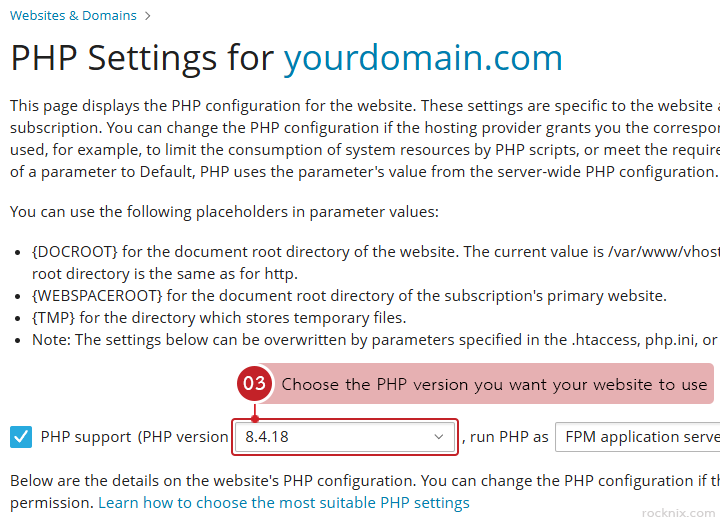
Choose the PHP version you want your website to use from the available list at PHP support (PHP version
Click at OK or Apply to save the changes.
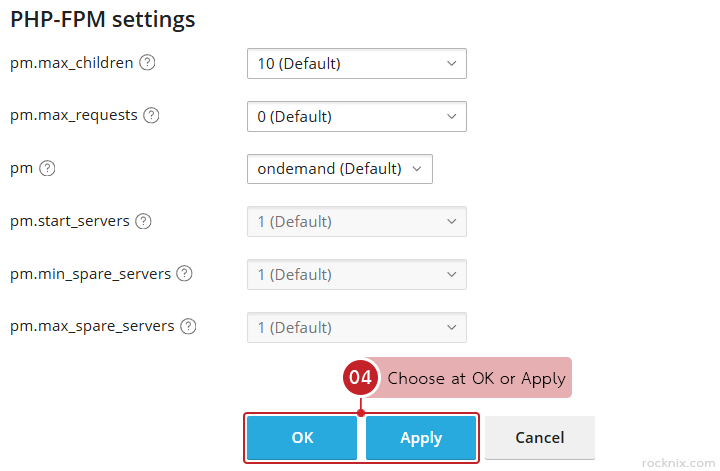
Plesk will update the PHP version for that website.
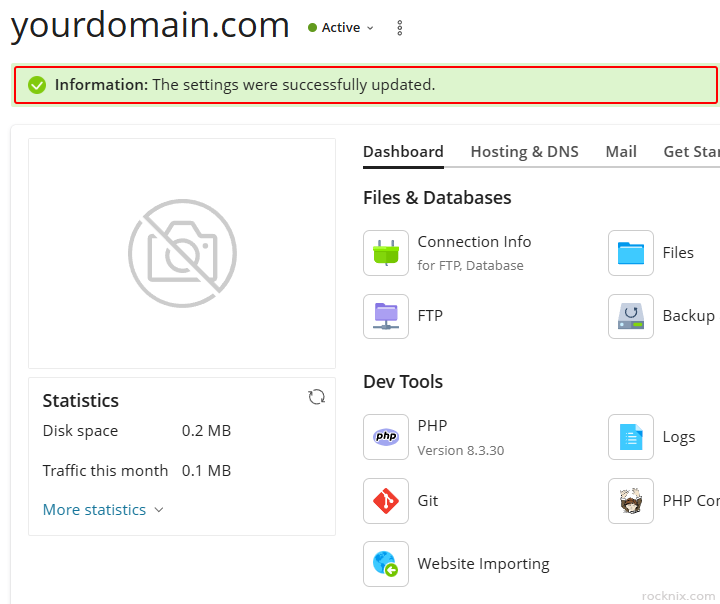
After updating the PHP version, you can verify the change in a couple of ways:
- Use the phpinfo() function
- Check the PHP settings again inside the Plesk control panel
If your website shows problems after switching PHP versions, such as:
- Error pages
- Features not working correctly
- Plugins or extensions failing unexpectedly
the issue is usually caused by code or add-ons that do not support the selected PHP version. In that case, switch the website back to the previous PHP version first, then review which part of the site needs to be updated for compatibility.
If you’re looking for secure and easy-to-manage hosting, you can explore available plans to find one that fits your website.